Food temperature records
From the fridge check to the corrective action.
Keep equipment readings and food-process temperatures clear, dated and attached to the selected business. Review the day or open the complete record when evidence is needed.
- Equipment and food
- Corrective actions
- Works offline
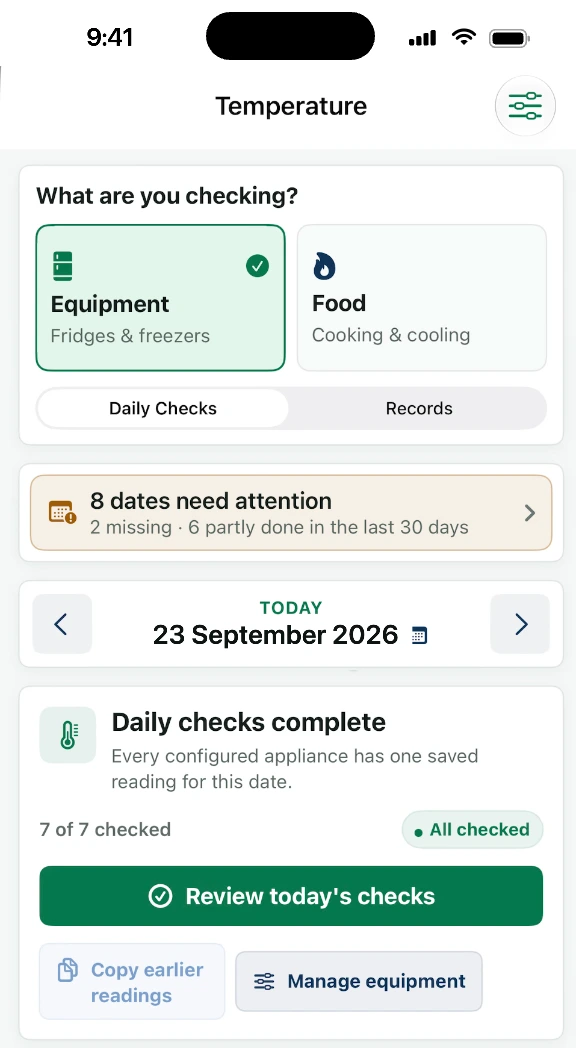
- See what is missingDaily progress shows what still needs a reading.
- Keep the decisionOut-of-range action stays beside the result.
- Find the historyReview records by date and business.
- Daily and complete recordsMove through dates without losing context.
One temperature workspace
Equipment checks and food checks,
clearly separated.
The app keeps routine appliance readings distinct from cooking and food-process controls while bringing both into the same business history.
Equipment and food checks
Fridges and freezers
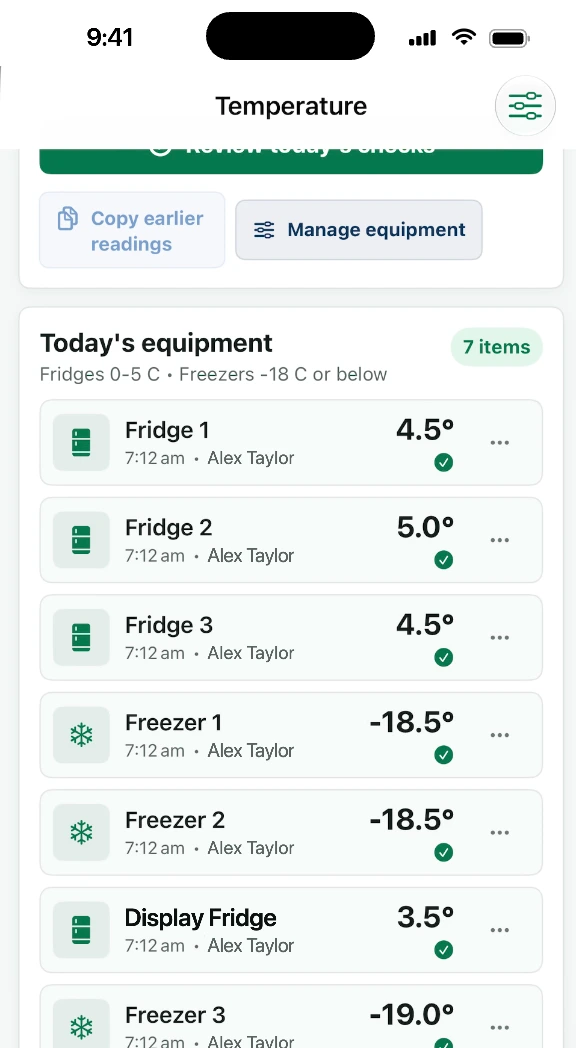
Add the equipment used by the business, record the reading and see whether each expected check is complete.
Cooking and reheating
Record the selected process, food, target and measured temperature with the responsible initials.
Hot holding and cooling
Keep process-specific checks with the date instead of mixing them into a general equipment list.
Action, history and evidence
Corrective action
When a result is outside the business target, record what happened and what was done beside the reading.
Earlier dates
Move backwards and forwards through the record, review completion and find dates needing attention.
Inspection evidence
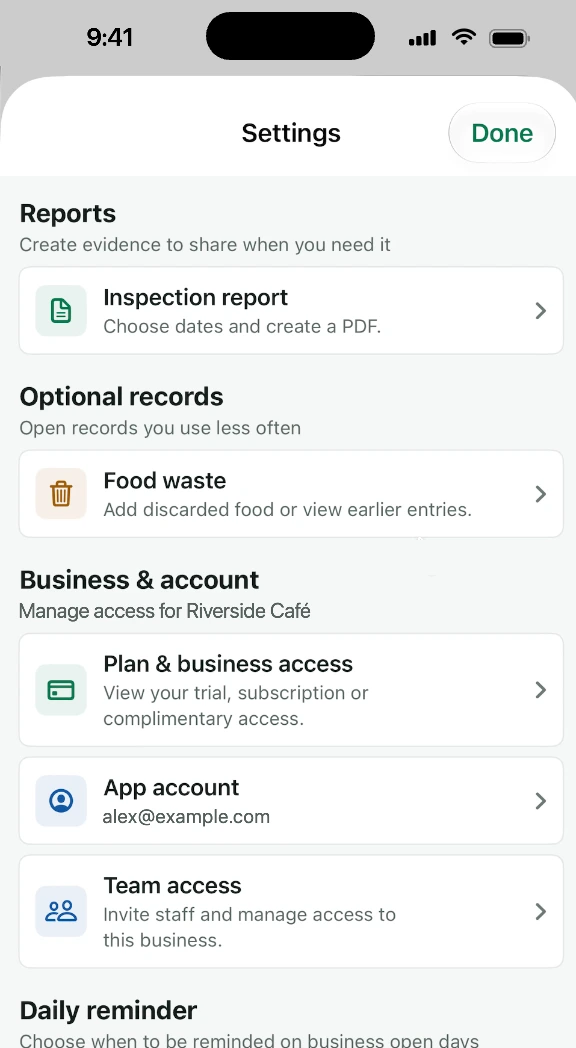
Choose the business and date range, then include the temperature history in a structured PDF report.
Designed for the shift
A fast daily check
without a thin audit trail.
The entry view keeps the important fields together: the item, reading, target, initials, time and corrective action when one is needed.
The business sets the working targets
Food Hygiene Record Book organises the values and actions entered by the business. It does not replace the business's documented safe methods, legal duties, probe procedures or professional judgement.
-
01 Check
Start with today
See the equipment that still needs a reading and continue the daily checks.
-
02 Action
Review the result
Keep the status and action visible instead of hiding them in a separate note.
-
03 Evidence
Return to the record
Use the dated history when a manager, auditor or officer asks for evidence.
Temperature questions
Before replacing
the paper log.
Can’t see your question? Our team is happy to help.
Can I record both equipment and food temperatures?
Yes. Equipment checks cover fridges, freezers and other configured appliances. Food checks cover processes such as cooking, reheating, hot holding and cooling.
What happens to an out-of-range reading?
The result stays in the history and the business can keep the corrective action with it. The app does not turn an entered figure into a different result.
Can staff record temperatures offline?
Daily local recording is designed to continue without a reliable signal. Connected backup and team features synchronise when a connection is available.
Can temperatures be included in a report?
Yes. Select the business and date range, review the records and generate a dated PDF when evidence is needed.
More of the record book
Connect temperatures
to the rest of the evidence.
Food control and HACCP
Keep deliveries, labels, batches and control records together.
Explore food controlDigital SFBB diary
Record opening, closing, daily issues and four-week reviews.
Explore the SFBB diaryPricing and access
30-day trial, £7.99 monthly or £79.99 yearly plan and what remains offline.
See pricingMake the next reading easier to find
Put the temperature log
on the phone.
Download Food Hygiene Record Book for iPhone or Android and begin the one-time 30-day app-access trial.