Digital food safety records for UK kitchens

Good food. Good habits. Great records.

From opening checks and food control to staff training and inspection reports. One record book for the work behind your food.

  • No card for the trial
  • No automatic trial charge
  • iPhone and Android
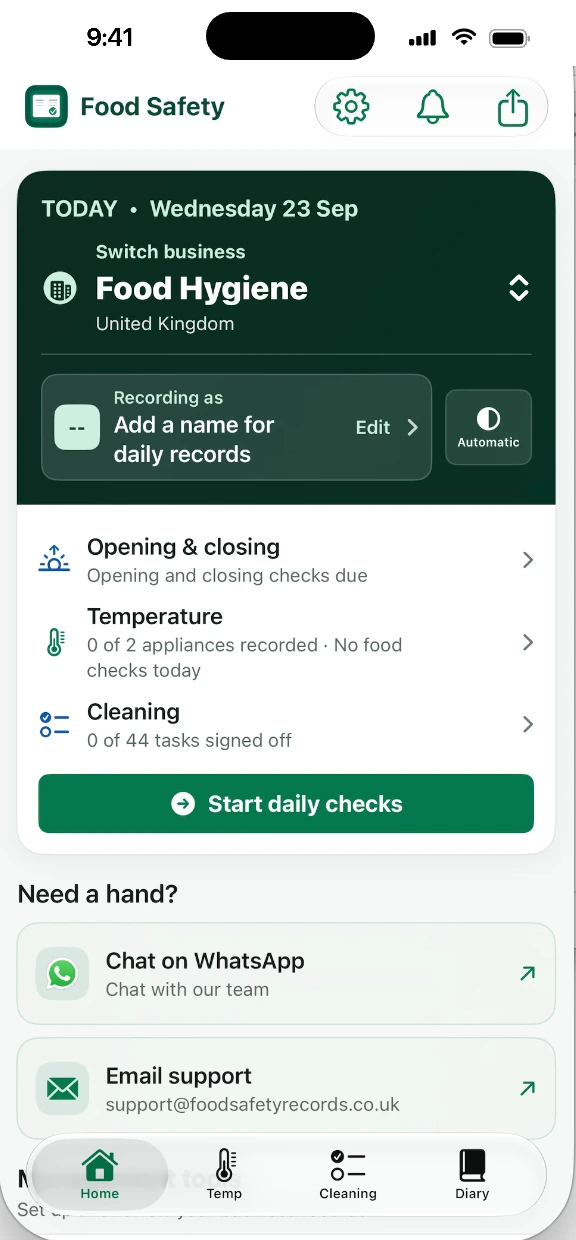
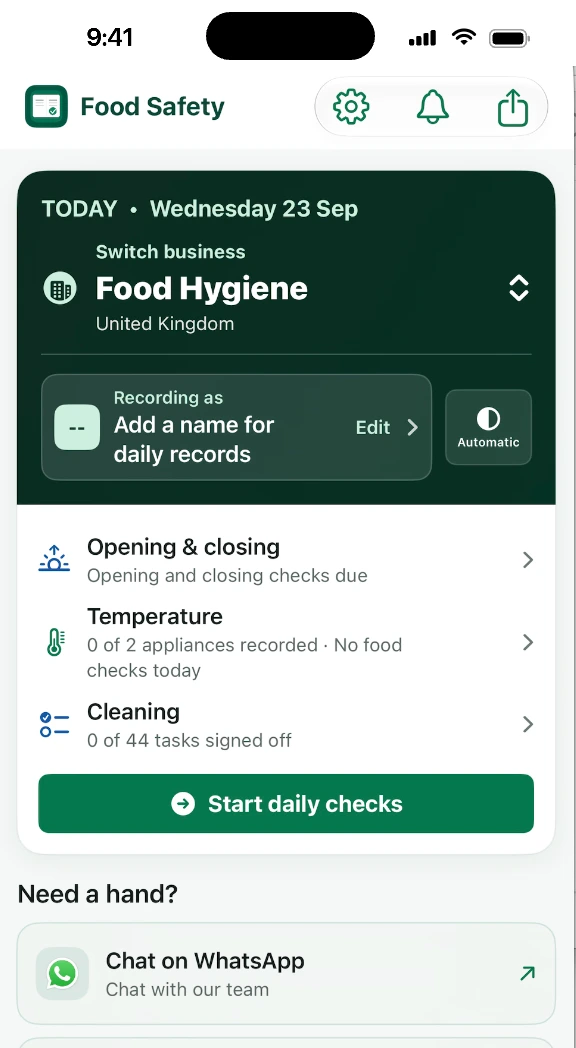
The Food Hygiene Record Book home screen showing today's opening checks, temperatures and cleaning

Less searching. More doing.

The kitchen moves fast. Your records should keep up.

Open the kitchen. Check the delivery. Brief the team. Keep the record.

Daily routines, food-control records and management tools belong together. Tailor the record book to your business, and find the right page for the job.

  1. 01 Check

    Know what needs doing.

    Review opening checks, temperatures and cleaning progress before the shift gets busy.

  2. 02 Record

    Capture it as you go.

    Keep temperature, cleaning and diary entries together, even without a signal.

  3. 03 Share

    Find the evidence.

    Choose the dates you need and export a clear PDF with active business access.

One example. Part of a bigger record book.

Today’s checks. Nothing buried.

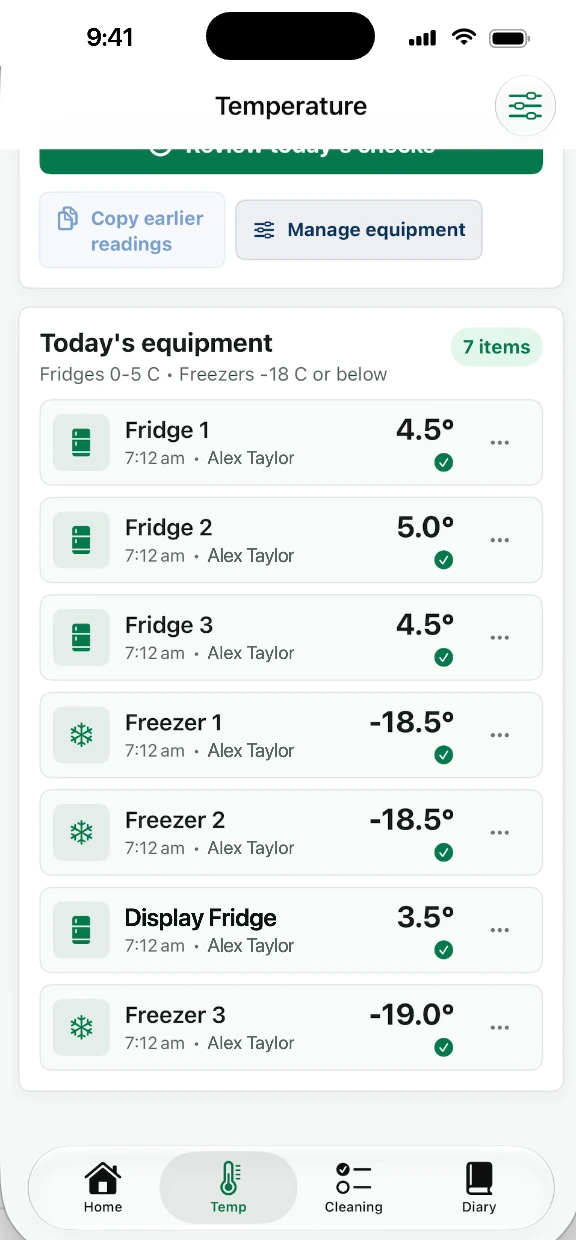
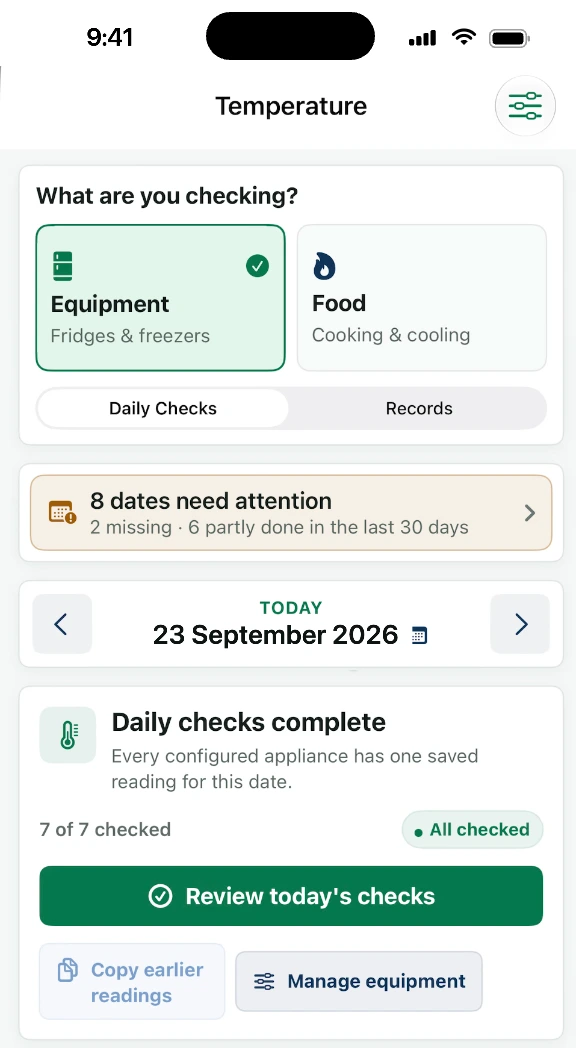
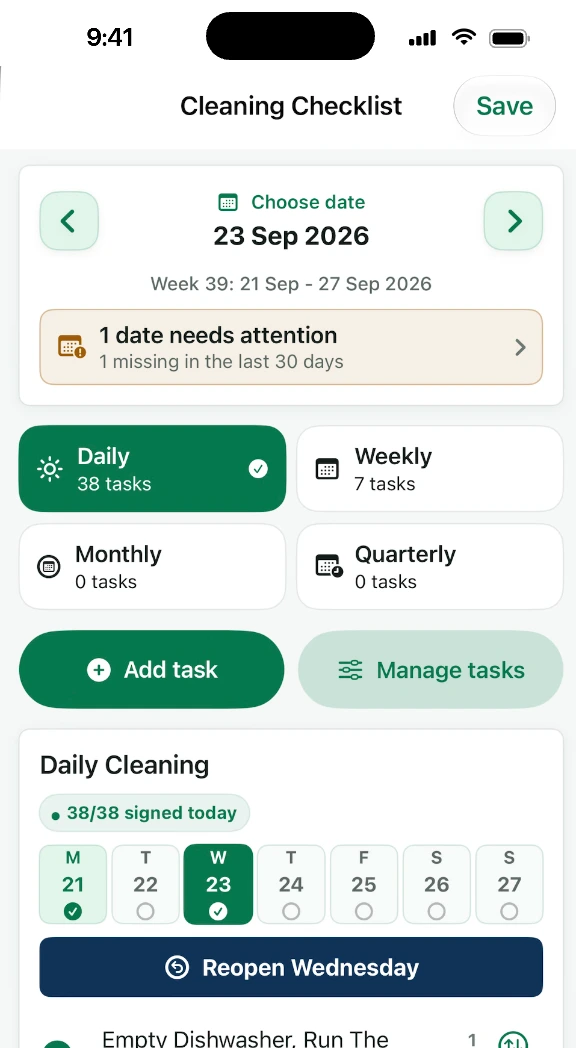
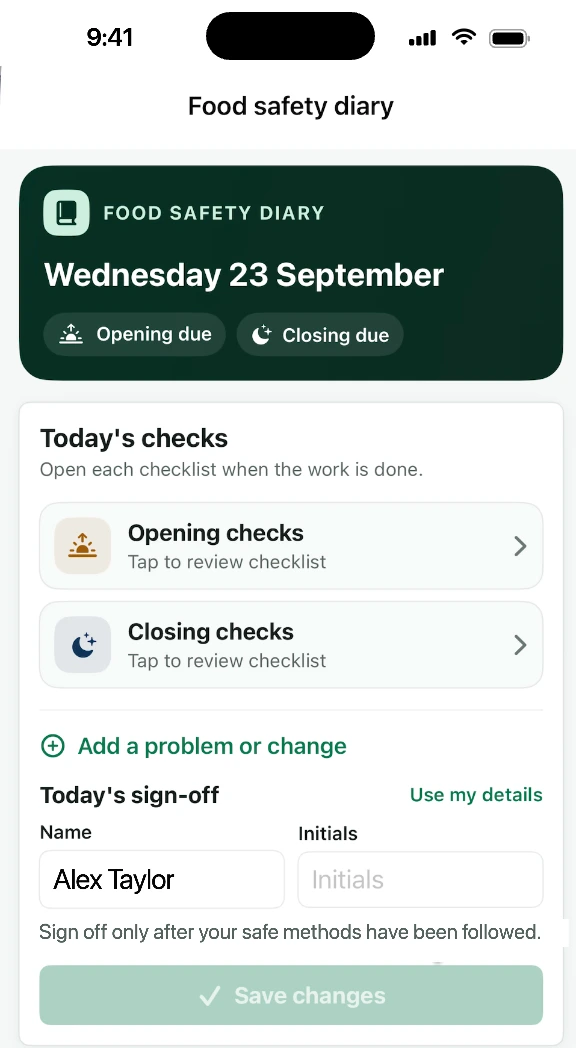
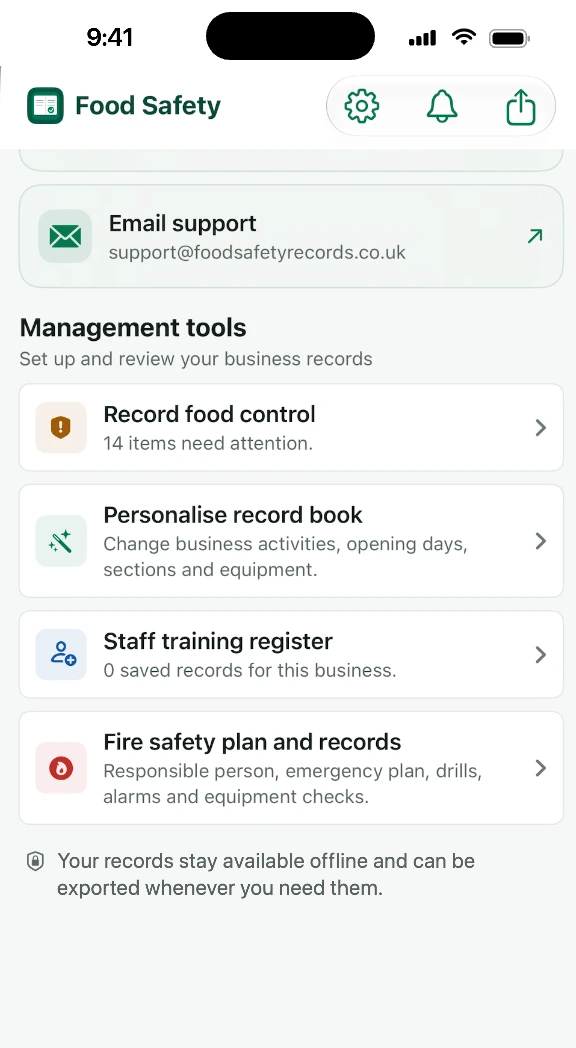
The Home screen points you to the work. Each record page helps you capture the detail.

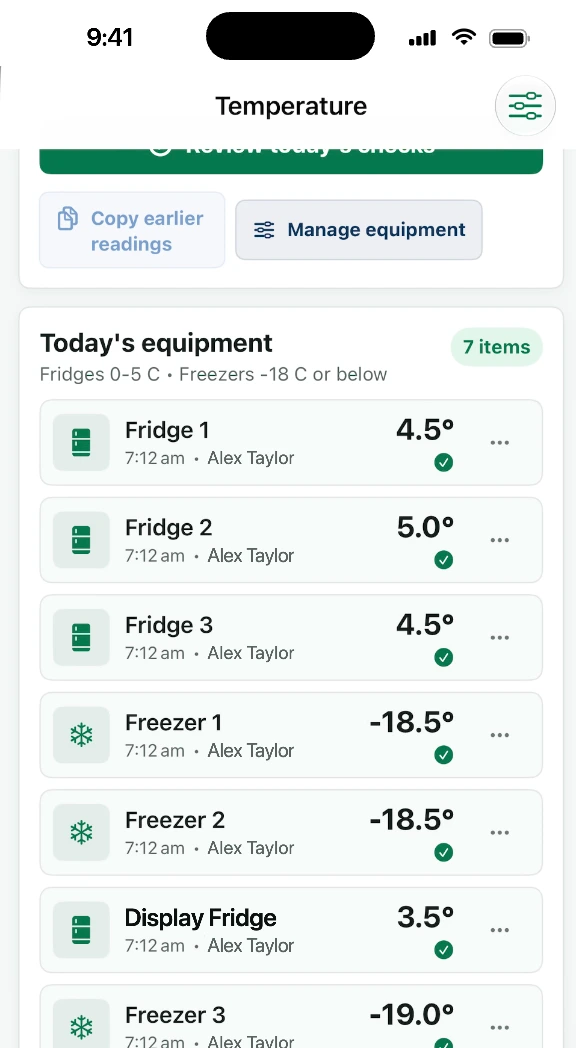
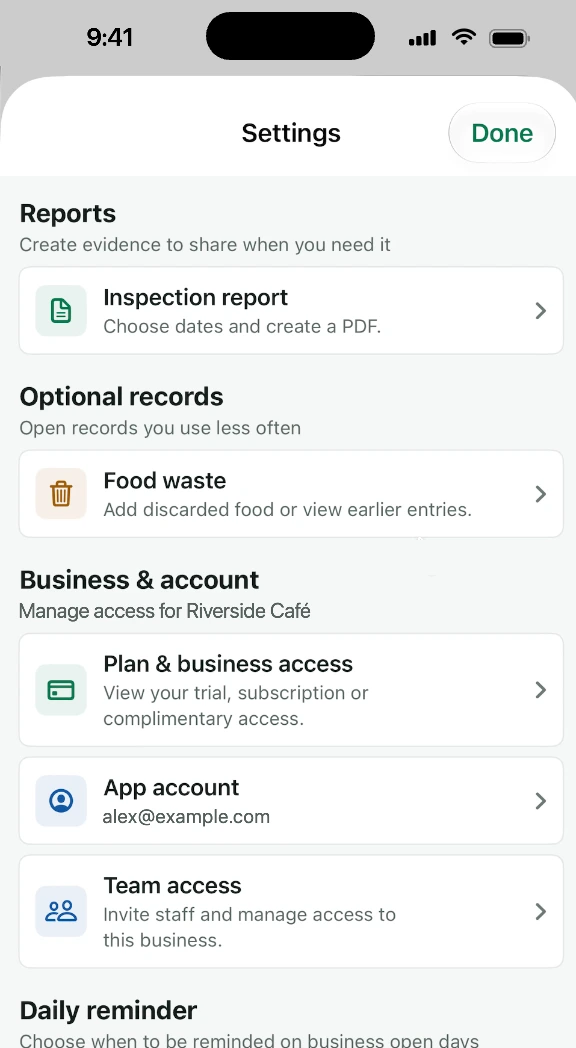
Home screen with today's opening checks, temperatures and cleaning progress Equipment temperature checks with readings for each fridge and freezer Temperature records showing dates that need attention and today's completed checks Cleaning checklist with daily, weekly, monthly and quarterly tasks and the week's sign-off Food safety diary with opening and closing checks and today's sign-off Management tools: food control, personalising the record book, staff training and fire safety Settings with inspection reports, food waste, plan and business access, app account and team access

Explore temperature records

Built around your working day

Small daily habits.
A bigger picture.

From the first delivery to the final check. Explore what your record book can do.

01

Daily checks & temperatures

Know what still needs doing.

Opening and closing routines, fridge and freezer readings, plus cooking, cooling, reheating and hot-holding records.

  • Measure
  • Record
  • Review
More about daily checks

Review complete, partial and missing equipment-check days. Keep the recorder, time, batch, measured temperature and corrective action alongside each relevant entry. Readings are entered manually.


02

Cleaning & SFBB

Make the routine repeatable.

Custom daily and weekly cleaning tasks, the SFBB diary, opening and closing sign-off and four-weekly reviews.

  • Daily checks
  • Weekly tasks
  • 4-week review
More about cleaning and SFBB

Set up areas and tasks for your kitchen. Record who cleaned, daily problems, changes and actions. Review repeated issues and sign off the four-weekly review. Your business still maintains its own safe methods.

03

Food control & HACCP

Follow the work around your food.

Delivery checks, digital date-label records, time-controlled batches and documented HACCP controls.

  • Deliveries
  • Digital labels
  • HACCP
More about food control

Record suppliers, packaging and date checks, acceptance decisions and corrective actions. Track prepared/opened dates and discard deadlines. Adapt HACCP templates to your premises. Date labels are digital records; batch deadlines are visible in the app, not individual alarm notifications.

04

Food waste & cost

See what went to waste.

Record the food, quantity, reason and cost. Review weekly entries and the recorded waste total.

  • Quantity
  • Reason
  • Cost
More about food waste

Keep the date, meal, disposal person and notes with each entry. Costs are entered by your business; the app does not automatically reconcile purchasing, stock or accounts.

05

Staff training & fire safety

Keep management records close.

Training topics, dates and review reminders, plus emergency plans, drills and fire-equipment checks.

  • Training register
  • Fire safety
More about training and fire safety

Maintain a training register with trainer details and certificate references. Record fire-safety responsibilities, alarms, lighting, extinguishers and risk-review dates. These are records and planning tools, not training courses, certificates or a fire-risk assessment service.

06

Inspection PDF reports

A working day. One clear report.

Choose a business, date range and report sections. Export saved checks, exceptions, actions and sign-off in one PDF.

  • Choose a business
  • Select dates
  • Export PDF
More about PDF reports

Preview record counts before exporting, then share from your phone. A verified account and active trial, paid or complimentary access are required. Reports reflect saved information; they do not guarantee an inspection outcome.

Daily checks. Food control. People. Evidence. It all has a place.

A real kitchen. A better daily routine.

From our kitchen.
To your pocket.

The work behind good food deserves a record book that keeps up. See the everyday work become a simpler digital routine.

No card for the trial. No automatic trial charge.

Make it work for your business

Your setup.
Your people. Your records.

Useful management tools alongside the daily record book.

Personalise the record book.

Choose your business activities, visible sections, equipment and staff names. Adjust cleaning tasks, food presets and targets.

Keep premises separate.

Add and switch businesses with their own records and settings. Archive and restore businesses. Access is managed per business.

Give people the right role.

Invite verified-email users as managers, staff or viewers. Permissions and seat limits apply, with sharing for supported records. Invitations need paid or complimentary access.

Which records can a team share?

Equipment temperatures, cleaning, waste, staff training, SFBB diaries and reviews, and fire-safety records. Food-temperature checks, digital labels, deliveries, timed batches and HACCP assessments are included in account backup, but not the current shared-team record sync.

Back up. Build a habit.

Use account backup and recovery with paid or complimentary access. Nothing is uploaded until you switch on cloud backup in the app. Set one daily reminder to complete your records, and find official UK guidance from the app.

What does this require?

Backup and team services need a verified account, paid or complimentary access and the internet. They are not available during the free trial. The daily reminder needs notification permission; it is a general reminder, not an alarm for each batch or deadline.

No signal? Keep recording.

Daily records work offline during your trial and with paid access. After the trial, records are locked until you subscribe: you can still view and share them. Invited members become read-only when a shared business’s access expires.

Small-business pricing

Your first 30 days? On us.

Try the app in your own kitchen. No card. No automatic trial charge. Then choose the plan that fits.

Monthly

Keep it flexible.

£7.99/ month

Per business. Billed monthly.

  • Add, change and delete records
  • Optional cloud backup, when you switch it on
  • Access for your authorised team
Start your free trial

Yearly saving compared with £95.88 for 12 monthly payments. 17% is rounded. Subscription prices and renewal terms are shown in the app before you confirm payment.

After the trial, your records stay on your phone and are locked: you can view and share them, and a plan lets you add and edit again. Cloud backup is optional: once you subscribe, switch it on in the app to upload your records. Full pricing details

A few good questions

Before you
get started.

Can’t see your question? Our team is happy to help.

We’re here to help
Does it work without a signal?

Yes. Daily local record keeping works offline. Cloud synchronisation and team access use an internet connection.

What happens after the free trial?

Your records are locked: you can still view them and share your existing records, but you can’t add, change or delete records until you choose the monthly or yearly plan. Cloud synchronisation and team collaboration need paid or complimentary access. Invited members become read-only when shared business access expires. The trial itself cannot charge you.

Does everyone on my team need a subscription?

No. Business access covers authorised people within its seat limit. Roles control what they can do, and team sharing supports selected record categories. Each additional business needs its own access.

Is this an official Food Standards Agency app?

No. This is an independent record-keeping tool. It does not replace your legal duties, your HACCP system or an officer’s judgement. Your business must adapt its controls and safe methods to its premises.

How much does it cost?

Monthly access is £7.99 per business. The yearly plan is £79.99 per business and saves £15.89 compared with 12 monthly payments. Payment and renewal terms are shown before purchase.

Where can I download it?

Download for iPhone from the App Store or for Android from Google Play. Visit our download page to choose your device.

Ready for your next shift?

Good records start today.

Try Food Hygiene Record Book in your own kitchen for 30 days on iPhone or Android.

Try 30 days free
Download on the App StoreGet it on Google Play

No card for the trial. Just your first check.